
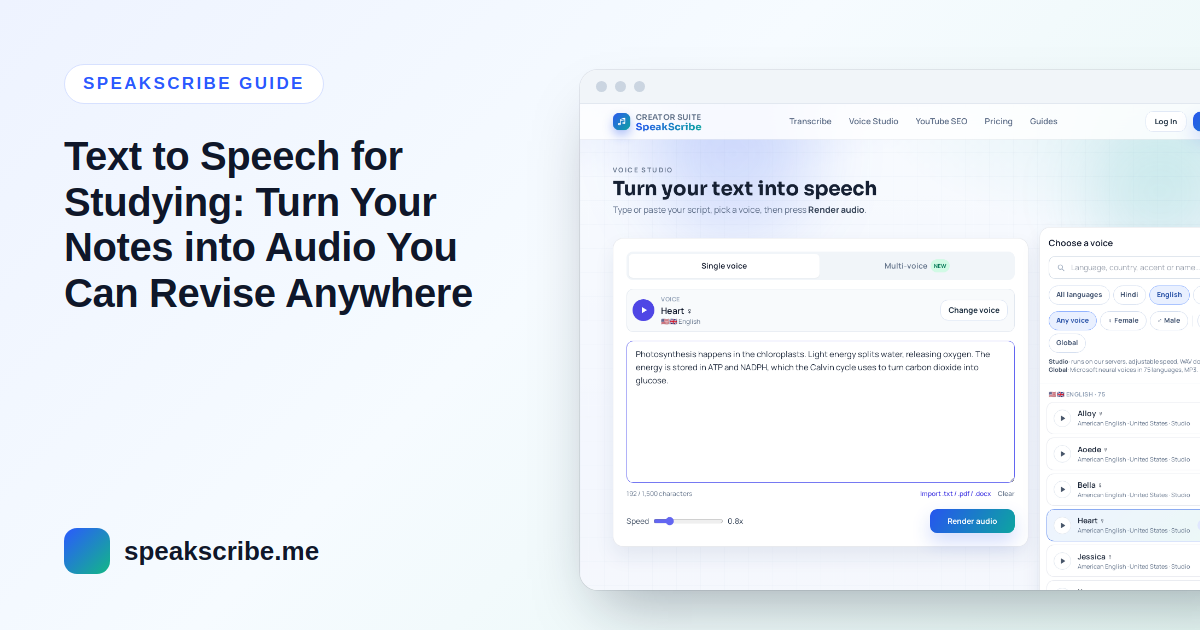
Short answer: paste one topic of your notes into a text to speech tool, pick a clear voice, set a comfortable speed, and download the audio. Then listen during time you would otherwise lose — commuting, walking, cooking — and save your desk time for practice questions. The whole setup takes about ten minutes, and the quality of the result depends far more on how you prepare your notes than on the voice you choose.
This guide walks through that workflow with SpeakScribe, which you can try free in the browser. Listening does not replace active practice — testing yourself is still where most learning happens — but it is an easy way to get another pass through the material on days when sitting down to read is not going to happen.
Step 1: Rewrite notes so they make sense out loud
Notes are written for eyes. A voice reads exactly what is on the page, so shorthand that is obvious when you see it becomes noise when you hear it. Five minutes of cleanup makes the audio far easier to follow:
- Turn bullet fragments into short sentences. "Mitochondria – ATP – cellular resp." becomes "Mitochondria produce ATP through cellular respiration."
- Expand abbreviations you would not say aloud: "e.g." to "for example", "approx." to "approximately", "→" to "leads to". Write "U.S.A." or "nasa" depending on whether you want letters or a word.
- Say equations in words. "F = ma" is read as letters; "force equals mass times acceleration" is something you can actually learn from.
- Use headings as spoken signposts. Start each section with a full sentence such as "Part two: the causes of the French Revolution." A blank line between sections gives a natural pause.
- Drop what only works visually — tables, diagrams, page references. Summarise them in one sentence instead.
Doing this rewrite is itself a revision pass: you have to understand a line to turn it into a sentence.
Step 2: One topic per audio file
A single long file is hard to navigate. Split your notes by topic and make one short file for each — "Bio 03 – Photosynthesis", "Bio 04 – Respiration". Short files are easy to replay before a quiz, and you can skip the ones you already know.
As a guide to length: SpeakScribe's English Studio voice Heart reads about 16.5 characters per second at normal speed (measured on its voice sample), so 5,000 characters of notes — the most a free account converts at once — come to roughly five minutes of audio.
Step 3: Choose a voice and a speed
Pick a voice you find easy to listen to for a long time; calm and clear beats dramatic. Two families are available:
| Studio voices | Global voices | |
|---|---|---|
| Languages | English (US and UK), Hindi, Spanish, Portuguese, Italian, French | 75 languages, including Urdu, Bengali, Arabic, Persian, Tamil |
| Speed | Adjustable from 0.5× to 2× | Natural pace; slow it down with shorter sentences and more punctuation |
| File | WAV | MP3 |
For a first listen to new material, normal speed or slightly slower (0.9×) works well. For a second or third pass over notes you already know, many students push to 1.3–1.5×. Good English voices to start with are Heart and Bella (American) or Emma (British). If you study in another language, open the voice library and filter by your language.
Step 4: Generate and build a revision playlist
- Open Voice Studio, choose your voice and paste one topic.
- Preview the first few sentences. If a term is mispronounced, spell it the way it sounds or split it with a hyphen.
- Generate the full topic and download the file. Free files are kept for 7 days, so save them to your phone straight away.
- Name the files with numbers so they play in order, and put them in one folder or playlist in your music app.
Turn review questions into a two-voice quiz
Passive listening is the weakest way to revise. A simple fix: write your notes as questions and answers and give them two different voices with Multi-voice. One voice asks, there is a short pause, the other answers. Pause the audio after each question and answer it yourself before you hear the reply. A free account can try Multi-voice with two speakers.
From lecture recording to notes to audio
If you record lectures (with your teacher's permission), you can close the loop:
- Upload the recording to lecture transcription. You get a full transcript plus subtitle files. A free account takes files up to 30 minutes; split longer lectures or use a paid plan.
- Under Refine output, choose Study notes (free account required). It produces a summary, key points, an outline, key terms and review questions from the transcript.
- Clean the study notes as in Step 1 and turn them into audio. The review questions are ready-made material for the two-voice quiz above.
Lecture in a language you are still learning? Translate the recording to English first, then make notes from the translation.
What to know before you start
- PDFs open directly: use PDF to audio or the import button in Voice Studio. The PDF is read in your browser, lines broken mid-sentence are rejoined and page-number lines are dropped, but running headers and footnotes stay — delete them before rendering. Scanned PDFs (pictures of pages) have no text to read.
- One file per generation; there is no batch mode.
- Free accounts include 10 voice generations a month (new accounts: up to 3 a day), each up to 5,000 characters. Without an account you can try 3 short generations. See pricing for more.
FAQ
Is text to speech good for studying?
It is a good way to add extra review time, especially while commuting or doing chores. It works best as a second pass over material you have already read, combined with self-testing such as answering questions out loud.
What is the best speed for studying with text to speech?
Start at normal speed for new material. For notes you already know, try 1.3–1.5× on a Studio voice. If you miss details, slow down — understanding matters more than finishing fast.
Can I listen to my notes offline?
Yes. Download the WAV or MP3 file and play it in any music or file app on your phone, with no internet connection needed.
Can text to speech read notes in Hindi, Urdu or Arabic?
Yes. SpeakScribe has voices in 75 languages. Write the notes in the language's own script — romanised text such as Hinglish or Roman Urdu is read with English pronunciation.
Is it free for students?
Yes, you can use it free: without an account for a quick test, or with a free account for 10 generations a month. There is no separate student plan.