
Hindi is one of the most common languages for AI voiceovers on YouTube — tutorials, explainers, stories and news recaps. This guide shows how to produce a clear Hindi voiceover for free, and the script habits that make the biggest difference to how natural it sounds.
Step 1: Choose a Hindi voice
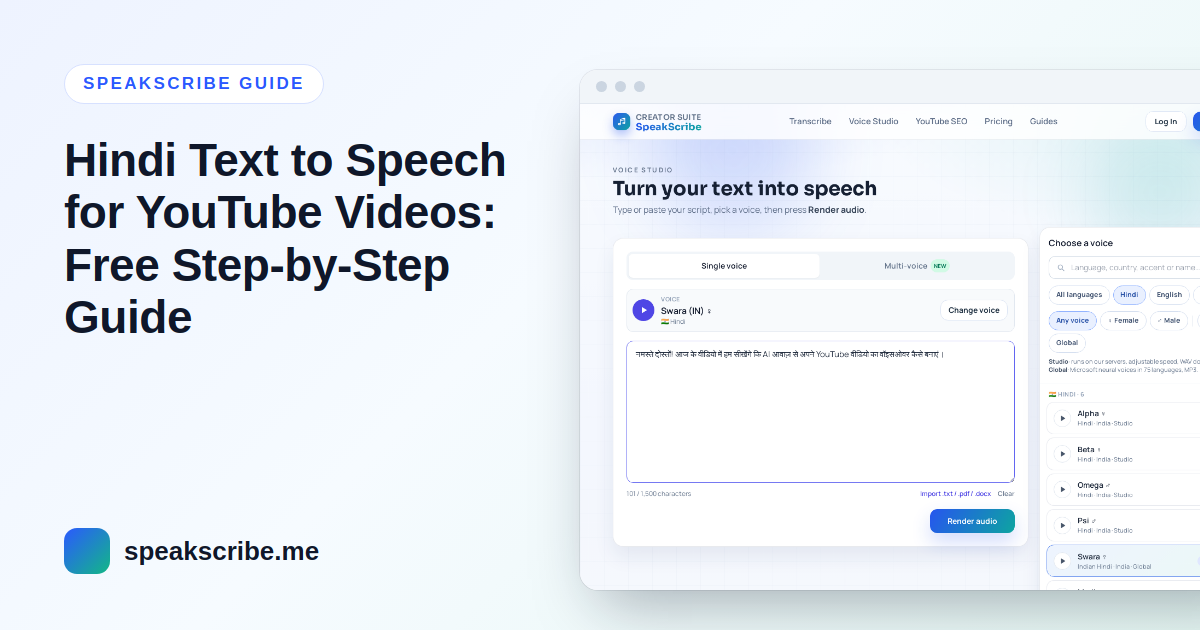
SpeakScribe has 6 Hindi voices in two families:
| Voice | Type | Download | Best for |
|---|---|---|---|
| Swara (female) | Global | MP3 | Clear, neutral narration — tutorials, explainers, news |
| Madhur (male) | Global | MP3 | Calm, steady male narration |
| Alpha, Beta (female) | Studio | WAV | When you want speed control and an uncompressed file |
| Omega, Psi (male) | Studio | WAV | Storytelling where you want to adjust pace |
Render the same paragraph with two or three voices before deciding. Then keep that voice for the whole channel — viewers start to recognise it.
Step 2: Write the script in Devanagari, not Hinglish
Many creators write Hindi in Roman letters ("aaj hum seekhenge…"). Text to speech voices are trained on Hindi in Devanagari, so Romanised Hindi is often read with English pronunciation and sounds wrong. Type or convert the script to Devanagari first (Google Input Tools or your phone's Hindi keyboard both work).
- Good: आज हम सीखेंगे कि यूट्यूब वीडियो के लिए वॉइसओवर कैसे बनाएं।
- Often mispronounced: aaj hum seekhenge ki YouTube video ke liye voiceover kaise banaye.
Step 3: Fix numbers, English words and pauses
- Pauses: end sentences with the danda (।) or a full stop, and use commas for short pauses. Leave a blank line between paragraphs.
- Numbers: write important numbers the way you want them spoken — "पच्चीस हज़ार रुपये" instead of "25,000 Rs" — so the voice does not read digits or symbols oddly.
- English words: common words (वीडियो, मोबाइल, ऐप) sound most natural in Devanagari. Brand names can stay in English letters; check them in a preview.
- Long sentences: split them. Spoken Hindi with short sentences sounds far more natural than written-style Hindi with many clauses.
Step 4: Preview, then generate the full voiceover
- Open Voice Studio with the Swara voice (or pick another Hindi voice).
- Paste the first 3–4 sentences and preview. Fix any word that sounds wrong.
- Paste the full script and generate. A free account allows up to 5,000 characters per generation — roughly 5–6 minutes of Hindi speech.
- Download the MP3 or WAV file.
Step 5: Sync the voice with your video
Import the audio into your editor (CapCut, VN, DaVinci Resolve, Premiere — all accept MP3 and WAV). Cut the video to the voice, not the other way round: place visuals at the start of each sentence and use the gaps between paragraphs for transitions. Keep background music well below the voice.
Tips for Hindi YouTube Shorts
- Hook in the first sentence — a question or a surprising fact.
- Keep the script around 120–150 words for a 45–60 second Short.
- Add Hindi captions; many viewers watch without sound.
Can a Hindi AI voice channel be monetized?
Yes, if each video is original — the language and the voice do not change the rules. Read what YouTube's monetization policy says about AI voices before you plan a channel.
FAQ
Is Hindi text to speech free?
You can try the voices without an account, and a free account includes 10 voice generations a month. Paid plans start at $4.99/month — see pricing.
Can I transcribe a Hindi video instead of typing the script?
Yes — upload the audio to Hindi audio to text, edit the transcript, then turn it back into a voiceover.
Which Hindi voice sounds most natural?
It depends on your script and style. Swara is a safe default for explainers; try the Studio voices if you want to adjust speed.