
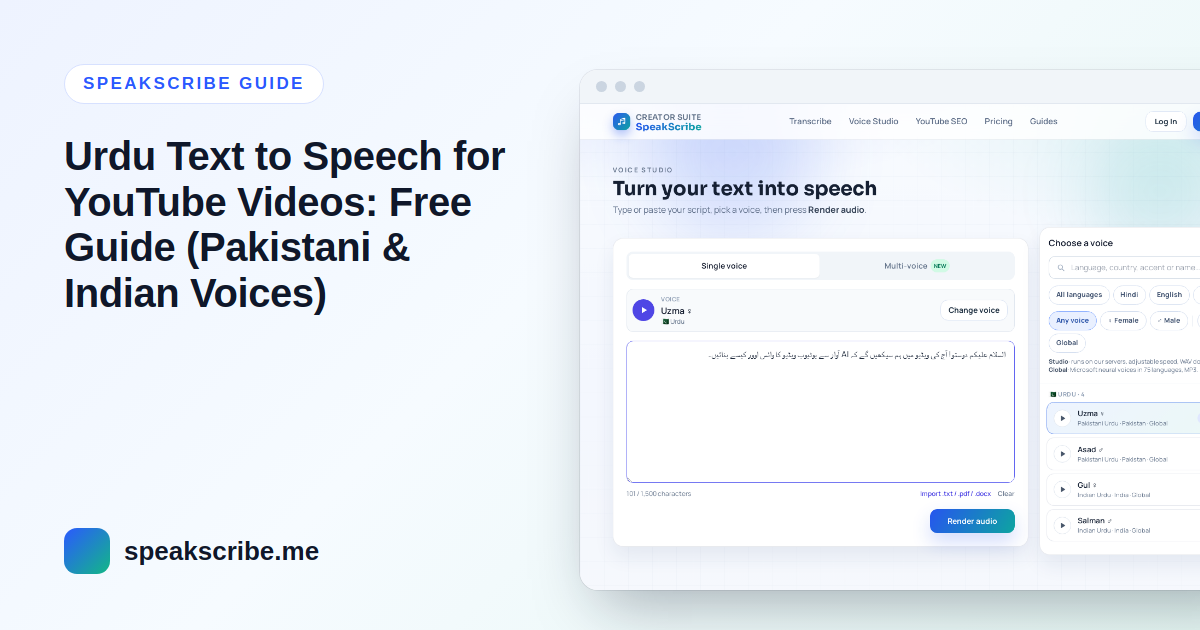
Short answer: write your script in Urdu script (not Roman Urdu), choose a Pakistani voice (Uzma or Asad) or an Indian voice (Gul or Salman) to match your audience, preview the first few lines, then generate the full voiceover and download the MP3 for your video editor. A free account converts up to 5,000 characters at a time — about six to seven minutes of Urdu speech.
Urdu channels cover everything from Islamic lessons and news recaps to tech tutorials and stories, and many creators prefer an AI narrator to recording their own voice. Below is the workflow step by step, with the details that make an Urdu voiceover sound natural rather than robotic.
Step 1: Pick the accent before the voice
SpeakScribe has four Urdu voices. The first decision is the accent, because viewers notice it immediately:
| Voice | Accent | Measured pace* | Good fit |
|---|---|---|---|
| Uzma (female) | Pakistan | 14.6 characters/s | Explainers, news-style narration, lessons |
| Asad (male) | Pakistan | 13.9 characters/s | Tutorials, documentaries, Islamic lectures |
| Gul (female) | India | 12.1 characters/s | Stories and slower, calmer narration |
| Salman (male) | India | 12.0 characters/s | Poetry, storytelling, long-form content |
*Characters per second, spaces included, measured on each voice's sample of the same Urdu passage (October 2026). The Indian voices are about 15–20% slower, so the same script runs longer.
If most of your viewers are in Pakistan or the Gulf, start with Uzma or Asad; for audiences in India, try Gul or Salman. Render the same paragraph with two voices, listen on your phone, and keep one voice for the whole channel so viewers come to recognise it.
Step 2: Write in Urdu script, not Roman Urdu
Most Urdu typed online is Roman Urdu ("aap kaise hain"). Voices are trained on Urdu in its own script, so Roman Urdu is read with English pronunciation and sounds wrong. Type in Urdu with a phone keyboard or Google Input Tools, or paste a Roman Urdu draft into a converter and check the result.
- Reads well: آج ہم سیکھیں گے کہ یوٹیوب ویڈیو کے لیے وائس اوور کیسے بنائیں۔
- Read with English sounds: aaj hum seekhen ge ke YouTube video ke liye voice over kaise banayen.
Two more script details matter. Text copied from Arabic websites often contains Arabic letters (ي، ك، ه) instead of the Urdu ones (ی، ک، ہ), which changes how words are read — retype or replace them. And diacritics (zer, zabar, pesh) are optional: add one only to a word the voice gets wrong.
Step 3: Control pauses, numbers and English words
- Pauses: end every sentence with the Urdu full stop (۔). Commas give short pauses; a blank line between paragraphs gives a longer one — useful where you plan a cut in the video.
- Numbers and money: write them as you want them said. "پچیس ہزار روپے" is read naturally; "Rs 25,000" may not be.
- English words: everyday loanwords (موبائل، ایپ، ویڈیو) sound best in Urdu letters. Keep brand names in English letters and check them in the preview.
- Sentence length: written Urdu often stacks many clauses into one sentence. Split long sentences — spoken Urdu with short sentences is far easier to follow.
- Quotations: for Quranic verses or Arabic phrases where exact pronunciation matters, listen carefully to the preview; an Arabic voice may read the Arabic text more accurately than an Urdu voice.
Step 4: Preview, generate, download
- Open Voice Studio with Uzma (or choose another Urdu voice). Paste the text as it is — the editor switches to right-to-left on its own.
- Preview the first three or four sentences and fix any word that sounds wrong.
- Paste the full script and generate. Up to 5,000 characters on a free account; longer scripts need to be split, or a paid plan.
- Download the MP3.
Step 5: Put it together in your editor
Import the MP3 into CapCut, VN, InShot, DaVinci Resolve or Premiere. Lay the voice down first and cut the visuals to it: a new shot at the start of each sentence, transitions in the pauses between paragraphs. Keep background music low — Urdu narration has many soft consonants that get lost under loud music.
Captions in Urdu
Many viewers watch without sound, so captions help. Paid plans export SRT and VTT subtitles together with the voiceover, timed from the voice itself. On a free account you can upload the MP3 to Urdu audio to text to get a timed SRT file, then correct any words against your script before uploading it to YouTube.
Urdu YouTube Shorts
- Open with the hook — a question or a surprising fact in the first sentence.
- With Uzma or Asad, roughly 700–850 characters of script fills a 50–60 second Short; the Indian voices need a little less text for the same length.
- Use large, high-contrast captions in Urdu script.
Can an Urdu AI voice channel be monetized?
Yes, if each video is original — the language and the voice do not change YouTube's rules. Channels lose monetization for reused or mass-produced content, such as reading other people's articles word for word. Read what YouTube's policy says about AI voices before you plan a channel.
FAQ
Which Urdu voice sounds most natural?
It depends on your audience and style. For viewers in Pakistan, Uzma (female) and Asad (male) are the usual choice; Gul and Salman have an Indian accent and a slower pace. Preview the same paragraph with two voices before deciding.
Can Urdu text to speech read Roman Urdu?
Not well. Roman Urdu is read with English pronunciation. Convert the script to Urdu script first for a natural result.
Is Urdu text to speech free?
Yes. You can try the voices without an account, and a free account includes 10 voice generations a month of up to 5,000 characters each. Paid plans start at $4.99/month — see pricing.
How long can one Urdu voiceover be?
Up to 5,000 characters per generation on a free account, which is about six to seven minutes of speech. Paid plans allow longer scripts in one generation, from 30,000 characters on Starter.
Can I turn an existing Urdu video into a script?
Yes. Upload the audio or video to Urdu audio to text, edit the transcript, and use it as your script. You can also translate Urdu audio to English for an English version of the channel.