
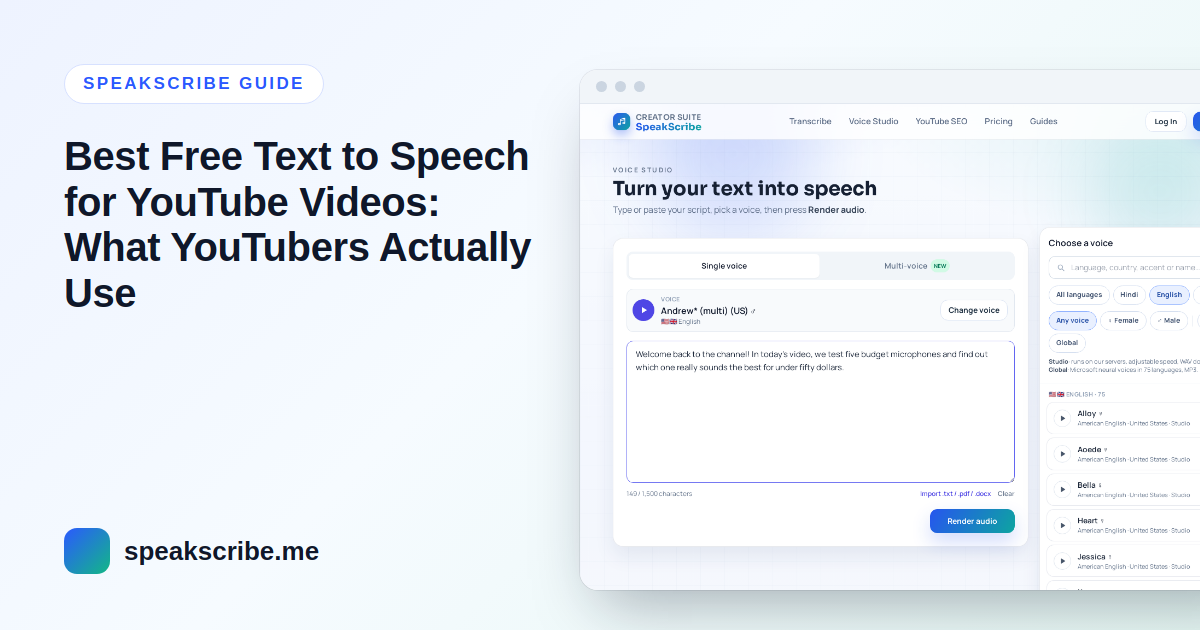
"What text to speech do YouTubers use?" has no single answer — most creators use one of three kinds of tools, and the right one depends on how long your videos are, which language you publish in and whether you plan to monetize. This guide explains the options and the five things worth checking before you build a channel on a free voice.
The three kinds of free text-to-speech tools
| Type | Good for | Watch out for |
|---|---|---|
| Voices built into video editors (for example, the text-to-speech feature in CapCut) | Short clips and Shorts made entirely inside the editor | Limited voice choice and languages; hard to reuse the audio elsewhere; check the editor's terms for commercial use |
| Browser or operating-system voices (the "read aloud" voices in browsers and phones) | Listening to your own script while you edit it | Usually no audio file to download — you would have to record your screen, which lowers quality |
| Dedicated text-to-speech websites | Long voiceovers, many languages, downloadable MP3/WAV files you can edit | Free tiers have monthly limits; licences differ between services |
Most YouTubers who publish regularly end up with the third type, because they need a clean audio file they can cut, re-time and reuse across platforms.
Five things to check before you pick a free voice
1. Does it sound natural for your language?
Quality varies a lot by language. A voice that is excellent in English can be flat in Hindi or Bangla. Always render a 20–30 second sample of your real script — including numbers, names and English loanwords — before committing.
2. Can you download an audio file?
You want an MP3 or WAV file, not only playback. A file lets you trim breaths, fix timing and replace a single sentence without re-recording the whole video.
3. Are you allowed to use it commercially?
If you plan to join the YouTube Partner Program, read the tool's terms. Some free tiers are for personal use only. On SpeakScribe, the Terms of Service let you use generated audio in your own content, including monetized YouTube videos, on every plan. Studio voices are also cleared for paid advertising and client work; Global voices are meant for your own content.
4. How long can one voiceover be, and how many per month?
A ten-minute video is roughly 1,300–1,600 words, or around 8,000–10,000 characters. Check the per-generation character limit, not just the monthly count, or you will have to split every script into pieces.
5. Will the same voice be available next month?
A channel's voice becomes part of its identity. Pick a voice from a tool you expect to keep using, and note the exact voice name so you can match it later.
Where SpeakScribe fits
SpeakScribe is a dedicated text-to-speech site. These are the actual limits, so you can compare honestly:
- 361 voices in 75 languages, browsable by language in the voice library.
- Try without an account; a free account includes 10 voice generations a month of up to 5,000 characters each — enough for a voiceover of about 5–6 minutes per generation.
- Downloads as MP3 (Global voices) or WAV (Studio voices).
- Paid plans start at $4.99/month for 100 generations of up to 30,000 characters — see pricing.
It is not the only option, and for a 15-second Short made entirely in your editor, the editor's built-in voice may be quicker. For regular long-form narration, a dedicated tool usually saves time.
How to make AI narration sound natural
- Write for the ear. Short sentences, one idea each. Read the script aloud once yourself.
- Use punctuation as direction. A comma is a short pause, a full stop a longer one. Line breaks between paragraphs give the voice a breath.
- Spell out what could be misread: "2026" vs "twenty twenty-six", abbreviations, currency and units.
- Render the first 20 seconds first and fix pronunciation before generating the full script.
- Keep one voice and speed across a series so viewers recognise the channel.
- Add music low under the voice and leave small gaps at scene changes — silence is part of pacing.
Can you monetize videos with a free AI voice?
Yes, if the video itself is original. YouTube's monetization review is about the content, not the voice — we explain the rules in detail in Can you monetize AI voice videos on YouTube?
FAQ
What is the most natural free text to speech?
It depends on the language and the script. Compare two or three voices with the same paragraph of your own script; the difference is usually obvious within a few seconds.
Can I use text to speech for YouTube in Hindi or Bangla?
Yes. See our step-by-step guides for Hindi and Bangla voiceovers.
MP3 or WAV for YouTube?
Both work in every common editor. WAV is uncompressed and better if you plan to edit heavily; MP3 is smaller and fine for most voiceovers.