
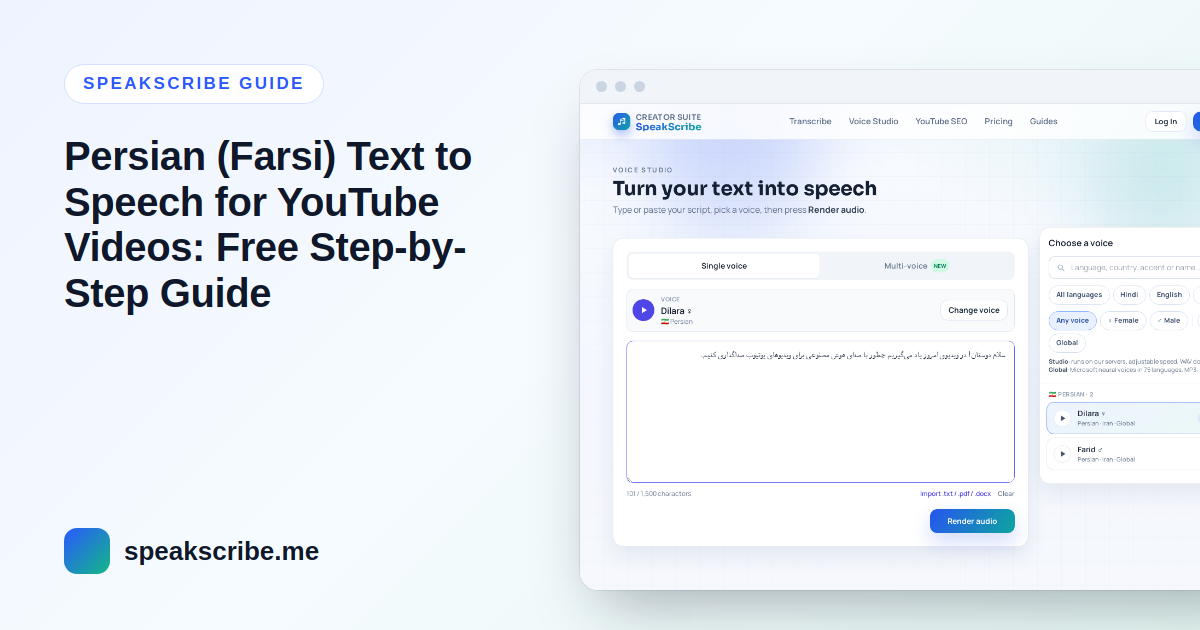
Short answer: write the script in Persian script (not Finglish), choose Dilara (female) or Farid (male), check the half-spaces and Persian letters, preview a few lines, then generate and download the MP3. A free account converts up to 5,000 characters at a time — roughly six minutes of Persian speech.
Persian voiceovers are popular for explainers, book summaries, history and tech channels — for viewers in Iran, Afghanistan and the large Persian-speaking diaspora. Most of the difference between a voiceover that sounds natural and one that sounds machine-read comes from how the text is typed, so this guide spends most of its time there.
Step 1: Choose Dilara or Farid
SpeakScribe has two Persian voices, both with standard Iranian pronunciation:
| Voice | Measured pace* | Typical pitch* | Good fit |
|---|---|---|---|
| Dilara (female) | 13.5 characters/s | ~187 Hz | Explainers, education, news-style narration |
| Farid (male) | 12.9 characters/s | ~84 Hz | Documentaries, history, storytelling, audiobook-style content |
*Measured on each voice's sample of the same Persian passage (October 2026): characters per second including spaces, and median pitch. Farid's voice is deep and slightly slower; Dilara is brighter and a little quicker.
Since there is no accent choice, pick by narrator gender and by the mood of the channel, then keep the same voice for every video.
Step 2: Write in Persian script, not Finglish
Finglish (Persian in Latin letters, such as "emruz mikhaym yad begirim") is read with English pronunciation. Write the script in Persian script with a Persian keyboard layout:
- Reads well: امروز میخواهیم یاد بگیریم چطور برای ویدیوی یوتیوب صداگذاری کنیم.
- Read with English sounds: emruz mikhaym yad begirim chetor baraye video YouTube sedagozari konim.
Step 3: Fix the three typing problems that cause most errors
The half-space (نیمفاصله)
Prefixes and suffixes such as می، ها، ترین attach to the word with a zero-width non-joiner (the half-space), as in میخواهم and کتابها. With a normal space the voice reads two separate words; with no space the letters run together and the word may be misread. On Windows' standard Persian keyboard the half-space is usually Shift+Space; on phones it is a long-press on the space bar or a dedicated key, depending on the keyboard app.
Persian ی and ک, not Arabic ي and ك
Text copied from some websites, PDFs or Arabic keyboards contains Arabic forms that look almost identical. They can change how a word is read. A quick find-and-replace in your text editor (ي → ی, ك → ک) fixes it.
The invisible ezafe
The ezafe — the "-e" that links words, as in کتابِ من — is normally not written, so the voice has to infer it. It usually does, but in long chains of nouns and adjectives it can drop one. If you hear a missing link, write the kasra (ِ) on that word, or shorten the phrase.
Step 4: Numbers, English words and pauses
- Numbers: both Persian digits (۱۲۳) and Western digits (123) are read in Persian. For prices and dates, writing them in words (بیست و پنج هزار تومان) gives you full control.
- English and brand names: common loanwords (موبایل، اپلیکیشن، ویدیو) sound most natural in Persian letters. Preview brand names, and spell them in Persian the way your audience says them if the English spelling is misread.
- Pauses: end sentences with a full stop and use the Persian comma (،) for short pauses. A blank line between paragraphs adds a longer pause for scene changes.
- Ambiguous words: short vowels are not written, so a few words can be read two ways. Add a diacritic only to the word the voice gets wrong, or rephrase the sentence.
Step 5: Preview, generate and edit
- Open Voice Studio with Dilara (or switch to Farid). Paste the Persian text as it is — the editor switches to right-to-left automatically.
- Preview the first few sentences and fix anything misread using the steps above.
- Generate the full script (up to 5,000 characters on a free account) and download the MP3.
- Import the MP3 into your editor and cut the visuals to the voice: new shots at sentence starts, transitions in paragraph pauses, music well below the narration.
Persian captions
Paid plans export SRT and VTT subtitle files with the voiceover, timed from the voice itself. On a free account, upload the MP3 to Persian audio to text to get a timed SRT file, then correct it against your script — especially half-spaces, which transcription does not always restore.
Persian YouTube Shorts
- Put the hook in the first sentence.
- About 650–800 characters of script fills a 50–60 second Short with Dilara or Farid.
- Use a font that renders Persian cleanly for on-screen text, and check that half-spaces display correctly in your editor.
Can a Persian AI voice channel be monetized?
The language and the voice do not change YouTube's rules: original videos can be monetized; reused or mass-produced content cannot. YouTube Partner Program eligibility also depends on where the channel owner lives, so check YouTube's YouTube Partner Program eligibility page, which lists the countries and regions where YPP is available. Read what YouTube's policy says about AI voices before you plan a channel.
FAQ
Is there a free Persian text to speech with a natural voice?
Yes. Dilara and Farid are neural voices you can try without an account; a free account includes 10 voice generations a month of up to 5,000 characters each, downloadable as MP3.
Can Persian text to speech read Finglish?
Not well. Finglish is read with English pronunciation. Write the script in Persian script for a natural result.
Why does the voice read some words wrongly?
The usual causes are a missing half-space, Arabic ي or ك instead of Persian ی or ک, or an unwritten ezafe in a long phrase. Fix the typing on that word, or add a diacritic.
Can the Persian voices read Dari or Tajik?
They read Dari written in Persian script, with an Iranian pronunciation. Tajik is written in Cyrillic and is not supported by these voices.
Can I turn a Persian video into text?
Yes. Upload the audio or video to Persian audio to text for a transcript you can edit, or translate Persian audio to English.